

A few years back, I didn’t know much about Linux. Fast forward to 2026, and having experienced more than 7 distros, I have a lot to say about my experiences as a Linux user. Shockingly enough, my Linux journey ended with me going back to Windows on an unsupported machine.
Before I delve into the details, I want to clarify that I am not claiming any OS to be better than another, and I also do not claim to be an expert in all things Linux. In fact, I come from a non-technical background.
The purpose of this piece is to document my journey as a Linux user and hopefully help people who are undecided whether Linux is right for them, especially if they aren’t tech wizards.
A little background
By profession, I am a writer. Therefore, my uses include long writing sessions, and browsing with a few to at times, several tabs open. I own a Dell Vostro 15-3568 with a Celeron dual-core 3865U 7th-generation processor with 4GB RAM and 1 TB HDD.
I purchased this device back in 2018, which ran Windows 10, but later got a 256 GB SSD in 2021 and an additional 8GB RAM. I mentioned these specs upfront because, much like games, it considerably determines the kind of experience you will have on a Linux distribution.
See kind of like games, you look at the minimum and recommended requirements of a distribution and compare it with your device specs.That gives you an idea about whether your experience on it will be favourable.
However, the reality might not always align with your expectations. I also mentioned my usage pattern to help you understand the lens through which I viewed my journey.
How I got into Linux
My laptop worked quite well till 2019. But in 2021, I realized that it had gotten a lot slower. Browsing felt painfully slow, while I couldn’t write a sentence on MS-Word in under 15 minutes, as it kept hanging.
So, I got a 256 GB ADATA SSD, fresh Windows installed, thermal paste re-applied, and cleaning done. A couple of days later, it was slow again. At that point, I had only heard of Linux in one of my favorite series, “Mr. Robot”. Some other things I knew about the OS were that it was completely free and that you didn’t need any anti-virus software for it.
The Linux world seemed promising, but I didn’t know how to install Ubuntu. Yes, Ubuntu was synonymous with Linux for me back then. A few YouTube videos later, I learnt how to use Balena Etcher to write ISOs to my USB drive and how to boot from it.
Once I was done, Ubuntu was installed on my laptop, marking my first entry into the Linux world. To be completely transparent, the Ubuntu installer crashed midway through the first time and I couldn’t do anything. It was only on the second try that I managed to install it successfully.
The first switch
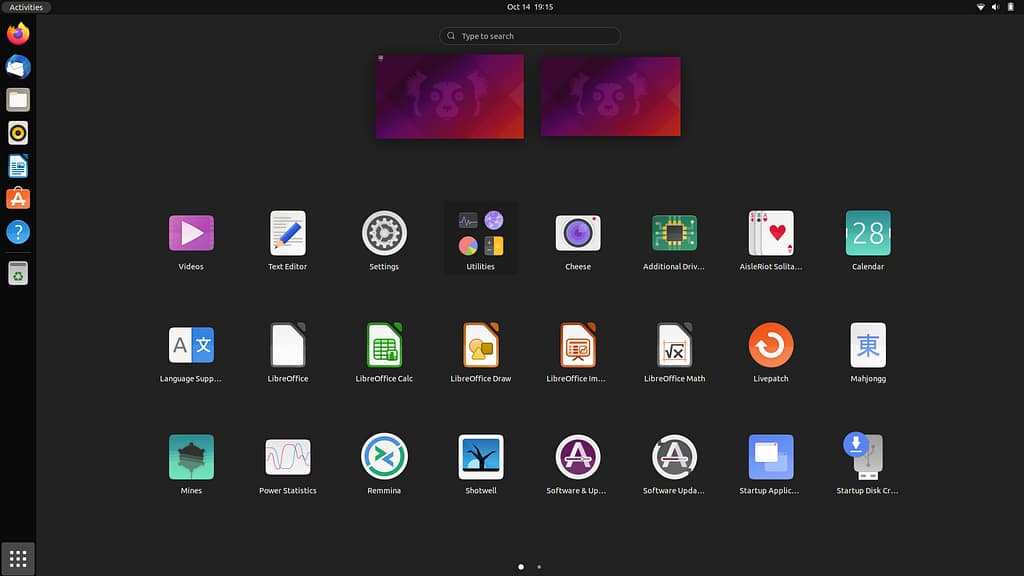
Upon first look, I felt that the overall look and feel of Ubuntu was incredibly stunning. Its default brown and orange color scheme seemed especially attractive to me. The first difference I felt was the app opening and browsing experience. Ubuntu felt blazingly fast compared to Windows. Back then, I associated computer performance only with hardware.
For a long time, I felt incredibly limited by the powers of my Celeron dual-core CPU. While that problem still exists, I realize that the OS also plays a significant role in your overall experience. Put simply, Linux often gets you the best performance from your hardware.
The issue that got me into Linux, not being able to write, was no longer there as LibreOffice worked well.. But the distro did come with its own set of challenges.
I realized that you couldn’t place an individual file on your desktop screen. For example, in Windows, if you wanted to keep an individual Word file on your desktop, you could. But here, the closest you can get is to create a folder and then keep your individual files there. Thankfully, that issue has been completely resolved, beginning with Ubuntu 21.10.
Other differences Windows users will notice are the side and up panel, which can be changed as per your convenience. Linux, in general , is incredibly customizable, which remains one of its biggest advantages. But you will feel the contrast from Windows at first glance. Additionally, you won’t find your drives named as C, D, E, and so forth. The partitions would instead be mentioned by their size, like 560 GB Volume, 240 GB Volume, etc.
I personally felt really bothered by this difference, though. It is amazing how the lack of a conventional naming system messed with me so much. But, that’s the thing – my definition of “conventional”, like most people, is attached to Windows. That, to me, is a major challenge for Linux; they have to fight people’s habits too, that are essentially shaped by Windows after years of use.
And finally, addressing the elephant in the room, you will have to use a terminal at times. Distros like Ubuntu, Linux Mint, and Zorin OS ensure that you barely touch it, but at times, you would have to. But if you’re someone who thinks that everything on Linux is done by a terminal, that’s no longer the case now.
At this point, you would be wondering why or how the switch happened. Well, I had used Ubuntu for a week before I saw videos praising Linux Mint. That is where I learned about distros and the concept of minimum and recommended requirements around those.
When I searched, I realized that my device was hardly meeting Ubuntu’s minimum requirements. So, I switched to Linux Mint Cinnamon, which was only obvious after hearing countless praises about it.
The distro I spent the most time on
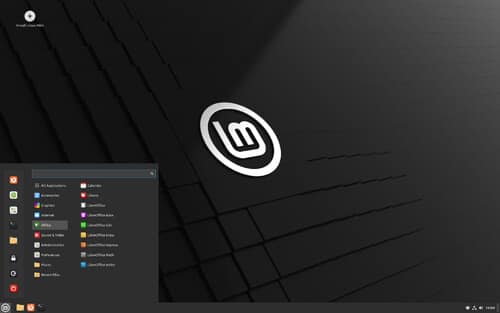
Linux Mint Cinnamon felt like a breath of fresh air to me. I could keep an individual file on the desktop, and the look felt like Windows, thanks to the similar-looking bottom panel, the start button, and the default yellow file icons. As a result, I felt more at home on Linux Mint Cinnamon than I did on Ubuntu. But, purely from an aesthetic point of view, I liked Ubuntu more.
I used this distro for close to one and a half years. During this time, I barely encountered any issues. However, in the end, I did feel that my laptop began getting a little warm. So, I thought, why not choose Linux Mint Mate, which might make my device potentially run cooler?
Frequent switches
The story of my distro hopping began with Linux Mint Mate. I used it for two or three days and it did run noticeably cooler. But, one fine day, the battery icon disappeared all of a sudden. Now, I could have searched for a fix online, and I would have solved the issue. But I felt Mint Mate to be smoother than Cinnamon, so I figured, why not check out XFCE, which might make my laptop run even better?
So, I landed on Linux Mint XFCE. It did meet my expectations in terms of speed, but I felt an unexpected friction. That was in the brightness department. See, on Windows, Ubuntu, Linux Mint Cinnamon & Mate, I would simply press the F11 and F12 keys to adjust the brightness as per my preferred choice. But when I landed on XFCE, the brightness levels felt a bit off.
Especially at the basic level- it either felt too dark or too bright. Back then, I couldn’t find the right solution and instead switched distros in anger. I found this issue across XFCE-based distros like Xubuntu and Zorin OS Lite.
The fix, which I discovered years later, was to go to the XFCE power manager and increase the brightness step to 48 or 50, instead of the default level, which is around 10. So, what this does is that when you try to alter your brightness level, the jump is much less. That, in turn, makes it easier to figure out the right level for your preference.
Due to my issues with brightness level, I had developed a wrong understanding that the heavier distros like Linux Mint Cinnamon and Ubuntu GNOME are better maintained. In reality, XFCE is maintained just as well. The difference lies in the psychology, though. XFCE is designed to be light and fast, while heavier distros prioritise convenience.
So, there’s no right distro here. If you want a distro that gives you the best performance but you’re okay with some manual tinkering, XFCE would suit you just right. But if you are someone like me who prefers convenience even if the performance is comparatively less, go for heavier distros.
Other distros I tested and switched from
After Linux Mint XFCE, I switched to MX Linux KDE, which ran smoothly but gave a highly techie feel, which I didn’t prefer. I used it a second time after a year or so, but that time the heating was considerable. My next stop was Debian 13 with Cinnamon.
While I was impressed with its speed, it had less visual polish than Linux Mint Cinnamon. So was the case with Ubuntu Cinnamon. Yes, there is a version of Ubuntu with Cinnamon, as weird or crazy as that sounds. But, if I were to rank these three in the context of speed, I would go with Debian, followed by Ubuntu and ultimately, Linux Mint.
I used Debian 13 for a week or two, and during that time, I did encounter a strange one-time issue. One day, I started my laptop as usual, but realized that it wasn’t able to connect to the internet via Wi-Fi. So, I searched online and got different suggestions. But, I thought to myself, “Why not just restart and see?” and luckily, it did fix that.
I once came across an article that talked about an OS which was rarely talked about and ran well on modest hardware: Vinari OS. It felt like a lean version of Ubuntu in terms of style, but the experience, not so much. My next stop was the highly talked-about Pop OS 24.04 version which had the Cosmic Desktop environment.
Its ISO size is smaller compared to multiple Ubuntu versions and is more in line with what you see on Linux Mint. For example, its size was 2.86 GB, while Ubuntu Cinnamon 24.04.3 was 5.41 GB, and Linux Mint Cinnamon was 2.84 GB. Even Xubuntu 24.04.3’s size was 4.04 GB. I used Pop OS for a couple of days- it delivered good performance, but it seemed too futuristic for my liking.
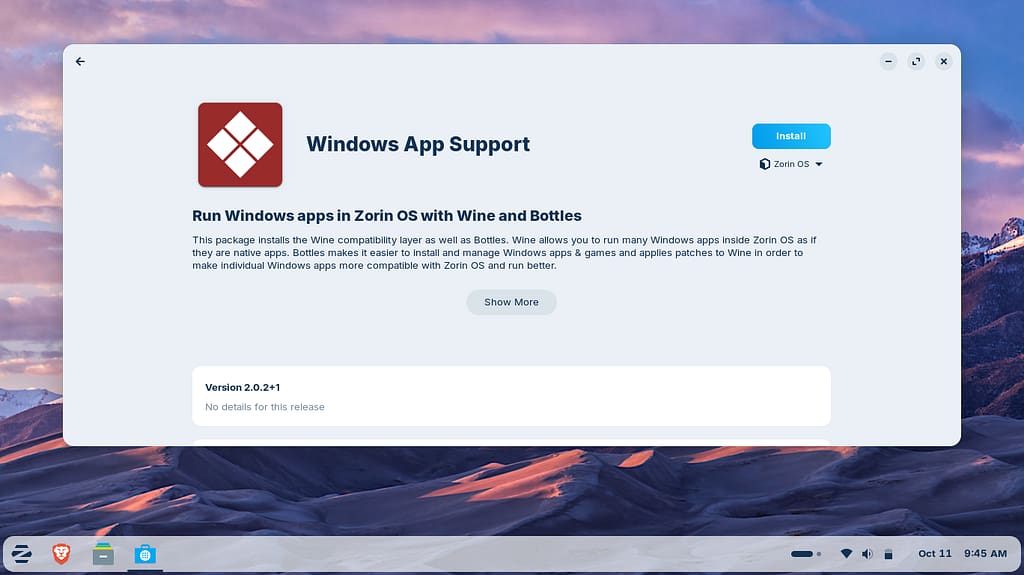
Next, I went to one of the most popular distros, Zorin OS. I chose the Lite version, but it felt a bit slower than its XFCE counterparts, which made sense since it’s heavily themed. It’s often said that the Zorin OS makes Windows users feel at home, but I believe Linux Mint Cinnamon does that just as well.
But it did feel better in one unusual aspect. Like me, if you’re a fan of old games like RoadRash, the process of setting it up is a lot easier. When you try to run an exe file on Zorin OS, it recognizes that it is a Windows App and offers to install the necessary software required to run it. On Linux Mint Cinnamon, the process requires more effort from your side.
For instance, if you want to go trekking alone, you will have to make your own arrangements. But, if you are going with a friend who has done that before, he can make relevant suggestions, right? That’s pretty much how the situation feels.
But if you play games via Steam, the process will be the same, regardless of whether you’re on Zorin OS or Linux Mint. The overall experience and RAM consumption will be different, though.
Other things to consider
As a writer, I have to reference different documents, and at times, my old ones as well. So, here are the things I noticed-
When I migrated from Windows to Linux, I had several files in .docx format. Now, you might think, “What’s the issue here ? Linux opens these files easily.” And it does, but not perfectly. See, you have LibreOffice as the default in almost every major distro out there.
So, when you open your .docx files with LibreOffice Writer, it opens but you see the content inside a rectangular box. At times, the formatting can get messed up too. While you can find fixes online, I started to use OnlyOffice, which solved all these issues for me. It also fixed another issue which was making things inconvenient.
What I am talking about is the fact that fonts like Calibri and Arial aren’t available by default in LibreOffice, so it substitutes those fonts it thinks are a good match. At this point, I must address the one time I sent an .odt file to my file to a friend who was on Windows; he couldn’t open it, and replied, “What is ODT?”
So, please don’t be like me. Instead, send your files in the format the other person can make sense of. Speaking of defaults, one of the best things you can do on Linux is you can delete it if required. When you’re on Windows, you have Edge, and you had MS Office by default once. You could add more browsers and office software, but you couldn’t delete those.
On Linux, you can not only delete the software it ships by default, but in some cases, also download only the ones you wish to have. For better or worse, it’s like you’re a tenant on Windows, but the landlord in Linux.
The last distro I used before jumping back to Windows
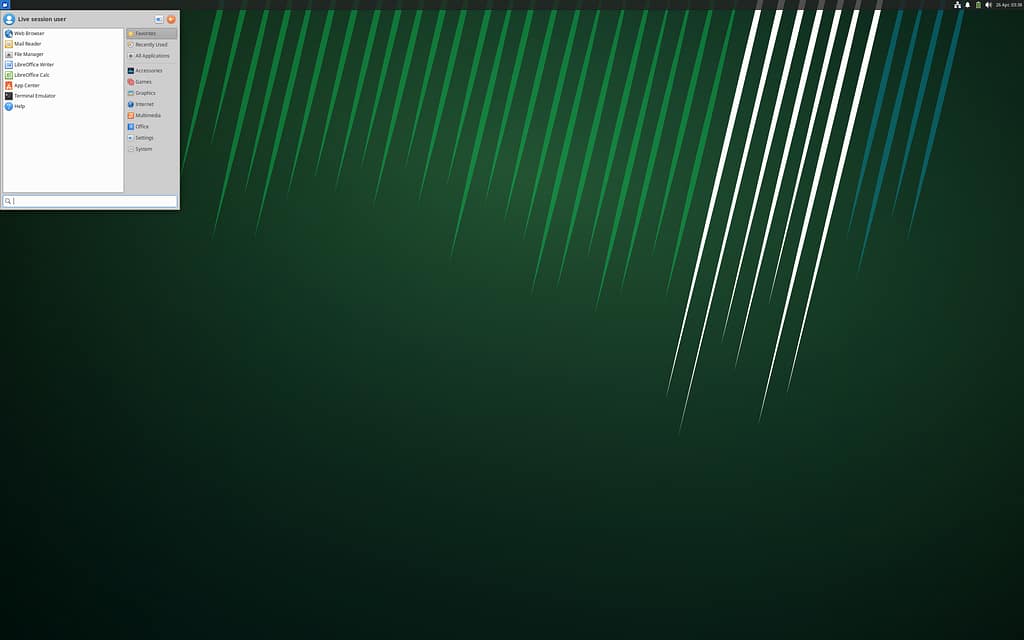
Xubuntu was the last distro I used before moving back. Of course, at the time, I didn’t know it would turn out to be my last. In fact, I thought it was buttery smooth. I never had one issue except the one that changed it all. One day, I noticed that the content of my 1TB HDD was no longer accessible. On top of that, I couldn’t mount the drive.
There were no updates that caused this. It all just randomly stopped working. That was the breaking point for me. I installed Windows, and the drive started working without any issue. And right now, I am running Windows 11 on unsupported hardware.
Sure, it isn’t as smooth as it was on Linux, but the performance gap is marginal in my experience. And when you factor in how convenient it has made things for me, I am all for it. At least in my use, I feel that Windows is a lot better than what some YouTube videos would like you to believe.
It’s also worth mentioning here that there are tools that helped me a lot on Linux. These are the Falkon browser and Disks. Since I am a writer, I often keep several tabs open, which is where Falkon impressed me the most. It felt smoother than Mozilla Firefox, which is often the default browser in multiple distros. As for Disks, I found it incredibly easy to format my USB drive and flash a fresh ISO onto it every time I switched distros.
Conclusion
While I would choose Windows over Linux for convenience, at least right now, there’s a lot that the latter does right. It gives you almost complete control over your system and scores home runs in privacy, speed, and customizability. But you should be ready for solving tech issues that may arise on a moment’s notice.
I love that there’s an alternative to Windows and Mac. For that, the creators and maintainers of Linux deserve a ton of applause. But if the OS wants a greater market share in my opinion, the Linux Gods need to account for convenience, as well.
Note: This is an updated and expanded version of an earlier post.
Leave a Reply